
29 KiB
Generate client proposals with OpenAI, Google Sheets, Slides, Gmail, and Drive
Generate client proposals with OpenAI, Google Sheets, Slides, Gmail, and Drive
1. Workflow Overview
Workflow name: Proposal Engine
Title provided: Generate client proposals with OpenAI, Google Sheets, Slides, Gmail, and Drive
Purpose: Automatically generate a polished client proposal (Google Slides) and a draft email using OpenAI from structured intake data, store everything in a Google Sheets tracker, and later (when marked READY) convert the proposal to PDF and email it to the client via Gmail.
1.1 Intake & Proposal Generation (Form → OpenAI → Slides)
- Entry via an n8n Form submission.
- OpenAI generates proposal fields (JSON).
- A Google Slides template is copied, moved to a target folder, and populated by replacing placeholders.
1.2 Email Drafting & Tracking (OpenAI → Sheets database)
- OpenAI writes a subject + email body (JSON).
- Result is appended to a Google Sheets “Proposal Generation Tracker” with status
WAITINGand a proposal link.
1.3 Sending Pipeline (Sheets Trigger → Filter READY → PDF → Gmail → Status update)
- A Google Sheets Trigger polls every minute.
- Rows whose
Send StatusbecomesREADYare processed in a loop:- Proposal link is converted/downloaded as a PDF.
- Email is sent with the PDF attachment.
- Sheet row is updated to
SENT.
Primary use case: After a sales call, a team fills a form once; the workflow produces a proposal + email draft, logs it centrally for review, and sends it only when someone flips the sheet status to READY.
2. Block-by-Block Analysis
Block A — Proposal Intake (Form Trigger)
Overview: Collects structured client/project inputs that drive proposal and email generation.
Nodes involved: On form submission
Node: On form submission
- Type / role:
Form Trigger(n8n built-in) — manual user entry point. - Configuration (interpreted):
- Form title: Client Proposal Builder
- Fields (required unless noted):
- Client Email (required)
- Client Name (required)
- Problem (textarea, required)
- Solution (textarea, required)
- Scope (textarea, optional)
- timeline (required)
- need (textarea, required)
- Price (required)
- payment link (required)
- context if any (textarea, required)
- Attribution disabled.
- Outputs: One item containing the form fields as JSON (keys match labels, including spaces).
- Edge cases / failures:
- Field-name fragility: downstream expressions rely on exact labels (e.g.,
Client Name,payment link). Renaming a form field breaks expressions. - User input quality: empty optional
Scopemay cause less useful proposal output unless prompt handles it.
- Field-name fragility: downstream expressions rely on exact labels (e.g.,
Block B — Generate Proposal JSON (OpenAI → Parse)
Overview: Uses OpenAI to produce structured proposal content in JSON, then parses it into clean fields for later steps.
Nodes involved: Generate Proposal Data, Parse Json for Proposal Data
Node: Generate Proposal Data
- Type / role:
@n8n/n8n-nodes-langchain.openAi— LLM call to generate proposal fields. - Configuration (interpreted):
- Model:
gpt-5.1 - Prompt design:
- System: instructs to generate clear, structured professional proposals.
- User content: injects form fields via expressions (e.g.,
{{ $json['Client Name'] }},{{ $json.Problem }}). - Hard rules: output only valid JSON, specific keys, character limits, no markdown/explanations.
- Example output provided (notably shows an array in the example).
- Important mismatch: The “Rules” section says output keys must be:
ClientName, Problem, Solution, Scope, Timeline, Need, Price, PaymentLink- But the workflow later expects Title too (
Copy Templateuses$json.Titleand Slides replacements includeTitle). - The example output includes
"Title", but the “exact keys” list omits it.
- Model:
- Input: The form submission item.
- Output: LangChain/OpenAI node structured response; downstream code reads
output[0].content[0].text. - Edge cases / failures:
- Model may return JSON that violates constraints (extra text, trailing commas, array vs object).
- If OpenAI returns an object without
Title, downstream Drive rename and Slides replacements can fail or produce blank title. - Token/length constraints: long
context if anycould reduce response quality.
Node: Parse Json for Proposal Data
- Type / role:
Code— extracts and parses the OpenAI text as JSON. - Key logic:
- Reads:
const rawText = $input.first().json.output[0].content[0].text; - Throws if missing.
JSON.parse(rawText)- Returns the first element if it’s an array; otherwise returns the object.
- Reads:
- Input: Output from
Generate Proposal Data. - Output: Clean JSON object with proposal fields (expected:
Title,ClientName, etc.). - Edge cases / failures:
- Any non-JSON output causes
JSON.parseto throw. - If OpenAI returns an array with multiple entries, only
[0]is used. - If OpenAI returns a JSON string that contains invalid escape sequences, parsing fails.
- Any non-JSON output causes
Block C — Create & Fill Google Slides Proposal (Drive copy/move → Slides replaceText)
Overview: Copies a Slides template, moves it into a “Generated Proposals” folder, then replaces placeholders with generated content.
Nodes involved: Copy Template, Move to Folder, Inject generated Text
Node: Copy Template
- Type / role:
Google Drive— duplicates an existing Slides template. - Configuration (interpreted):
- Operation: copy
- Source file ID:
15XFB-6lbXIBufCHgC34XH5NxtzxVJG8TFisbenyx4Rs(Slides template) - New file name:
={{ $json.Title }}(expectsTitlefrom parsed proposal) - Option:
copyRequiresWriterPermission: false
- Input: Parsed proposal JSON from
Parse Json for Proposal Data. - Output: Google Drive file metadata for the copied file (includes
id). - Edge cases / failures:
- Missing
Titleleads to empty/invalid file naming. - Google Drive permission errors if credential lacks access to template.
- If template is not a Google Slides file, later Slides node will fail.
- Missing
Node: Move to Folder
- Type / role:
Google Drive— organizes the copied proposal into a destination folder. - Configuration (interpreted):
- Operation: move
- File ID:
={{ $json.id }}(from Copy Template output) - Folder ID:
1NAtCKCeMJKGFfewj1T3fIlWZyQTE2Tbb(Generated Proposals folder) - Drive:
My Drive
- Input: Output from
Copy Template. - Output: Moved file metadata (still includes
id). - Edge cases / failures:
- Destination folder permission issues.
- Drive/shared-drive mismatches (if using Shared Drives, driveId/folder handling differs).
Node: Inject generated Text
- Type / role:
Google Slides— placeholder replacement in the copied presentation. - Configuration (interpreted):
- Operation:
replaceText - Presentation ID:
={{ $json.id }}(from Move to Folder) - Replacements:
{{title}}→Parse Json for Proposal Data: Title{{client_name}}→ClientName{{problem}}→Problem{{solution}}→Solution{{scope}}→Scope{{timeline}}→Timeline{{need}}→Need{{price}}→Price{{payment_link}}→PaymentLink{{date}}→new Date().toISOString().split('T')[0]
- Operation:
- Inputs/outputs:
- Input item carries the moved Drive file metadata.
- Output includes
presentationId(used later to build proposal link).
- Edge cases / failures:
- If the template does not contain exact placeholders (e.g.,
{{client_name}}), replacement will do nothing (silent “failure”). - Long text may overflow Slides layout; the node does not auto-resize content.
- Special characters/newlines may render unexpectedly in Slides.
- If the template does not contain exact placeholders (e.g.,
Block D — Generate Email Draft JSON (OpenAI → Parse) and Append to Sheets
Overview: Produces a client email (subject/body) and logs all proposal metadata into Google Sheets for review and later sending.
Nodes involved: Generate Email Draft, Parse Email Data, Append In Database
Node: Generate Email Draft
- Type / role:
@n8n/n8n-nodes-langchain.openAi— LLM call to draft email content. - Configuration (interpreted):
- Model:
chatgpt-4o-latest - System: warm, professional proposal emails.
- User instructions: write as “Atharva from Dragomagte”, concise, mention proposal attached and payment link inside proposal, clear next step.
- Output constraints: valid JSON with keys
subject,body, no markdown, no extra text, one object (but sample shows an array again). - Input passed is:
Proposal Info: {{ $('Generate Proposal Data').first().json.output[0].content[0].text }}- This passes the raw proposal JSON text from the first OpenAI call, not the parsed fields.
- Model:
- Input: Output from
Inject generated Text(but it referencesGenerate Proposal Databy name). - Edge cases / failures:
- If the proposal JSON text is very long, email drafting quality may degrade.
- Array-vs-object inconsistency may occur; parsing node handles either.
Node: Parse Email Data
- Type / role:
Code— parses OpenAI email JSON text into a single object. - Logic: same pattern as proposal parsing:
- Reads
output[0].content[0].text, JSON.parse, returns[0]if array.
- Reads
- Edge cases / failures: invalid JSON → node throws.
Node: Append In Database
- Type / role:
Google Sheets— appends a new tracking row. - Configuration (interpreted):
- Operation:
append - Document ID:
1-5ungWMwTXHFQalwIZ5xQS_P7jz0A1HmpErmvIyws80 - Sheet name:
Sheet1 - Columns written (mapping mode “define below”):
Date:={{ $now }}Email: from form trigger:On form submission → Client EmailClient Name: from parsed proposal:ClientNameProject Titile: from parsed proposal:Title(note spelling)Subject Draft: from parsed email:subjectBody Draft: from parsed email:bodySend Status: literalWAITINGProposall Link:
=https://docs.google.com/presentation/d/{{ $('Inject generated Text').item.json.presentationId }}/edit- Note: This is stored as a formula-like string starting with
=.
- Note: This is stored as a formula-like string starting with
- Operation:
- Inputs: Parsed email object from
Parse Email Data. - Edge cases / failures:
- Column header typos are baked in:
Project Titile,Proposall Link. Renaming the sheet columns breaks mapping. - Storing link with leading
=can make Sheets treat it as a formula. That may be intended, but it can also cause parsing/URL issues later. - If
Inject generated Textoutput doesn’t includepresentationId, link will be malformed.
- Column header typos are baked in:
Block E — Send Queue (Sheets Trigger → Filter READY → Loop)
Overview: Polls the tracker sheet every minute, selects rows marked READY, and processes them one-by-one.
Nodes involved: Google Sheets Trigger, Filter Ready Drafts, Loop Over Items
Node: Google Sheets Trigger
- Type / role:
Google Sheets Trigger— polling trigger. - Configuration (interpreted):
- Poll: every minute
- Document: same sheet ID as database
- Sheet:
Sheet1(gid=0)
- Output: Rows detected by the trigger (depends on trigger behavior and what changes are detected).
- Edge cases / failures:
- Polling frequency quotas: Sheets API limits may be hit at scale.
- Trigger behavior depends on n8n version; some triggers detect new rows vs updated rows. If it only detects new rows, changing
Send Statusto READY might not fire as expected.
Node: Filter Ready Drafts
- Type / role:
Filter— only allow rows ready to send. - Configuration:
- Condition:
Send StatusequalsREADY(case sensitive).
- Condition:
- Edge cases:
- Trailing spaces or different casing (
Ready,ready) will be dropped. - If the sheet uses data validation or localized values, matching may fail.
- Trailing spaces or different casing (
Node: Loop Over Items
- Type / role:
Split In Batches— processes multiple READY rows. - Configuration: defaults (batch size default in n8n; not explicitly set here).
- Connections: Uses the second output (index 1) to continue to PDF download, and loops back from
Update Statusto keep iterating. - Edge cases:
- If batch size defaults to 1, it will process one row per loop cycle (typical).
- If no items, downstream won’t run.
Block F — PDF Generation, Email Send, and Status Update
Overview: Converts the Slides link to a PDF, emails it, then marks the row as SENT.
Nodes involved: Download Proposal in PDF, Send Email, Update Status
Node: Download Proposal in PDF
- Type / role:
Google Drive— downloads a Google Slides file and converts to PDF. - Configuration (interpreted):
- Operation:
download - File identifier:
mode: url, value:={{ $json['Proposall Link'] }} - Options:
- Filename:
={{ $json['Project Titile'] }}.pdf - Conversion: Slides →
application/pdf
- Filename:
- Operation:
- Input: Current row from the loop (a READY draft).
- Output: Binary file data (PDF) plus metadata.
- Edge cases / failures:
- If
Proposall Linkis stored with a leading=(formula), the “url” may not be a clean URL string and can fail resolution. - If Drive cannot access the file (permissions, moved/deleted), download fails.
- Large decks may cause timeouts.
- If
Node: Send Email
- Type / role:
Gmail— sends the proposal to the client with attachment. - Configuration (interpreted):
- To:
={{ $('Google Sheets Trigger').item.json.Email }} - Subject:
={{ $('Google Sheets Trigger').item.json['Project Titile'] }}- Potential logic issue: it ignores
Subject Draftfrom the sheet and uses Project Title instead.
- Potential logic issue: it ignores
- Body:
={{ $('Google Sheets Trigger').item.json['Body Draft'] }} - Email type:
text - Attachments: configured as binary, but the attachment entry is empty (
attachmentsBinary: [{}]).- In n8n, you typically must specify the binary property name (e.g.,
data) produced by the download node.
- In n8n, you typically must specify the binary property name (e.g.,
- To:
- Inputs: Output from
Download Proposal in PDF. - Edge cases / failures:
- Attachment likely not actually attached due to missing binary property mapping.
- Uses
Google Sheets Triggernode’s item instead of the loop item; if multiple rows are processed, referencing the trigger item can send wrong data. - Gmail API auth errors, “From” address restrictions, or quota limits.
Node: Update Status
- Type / role:
Google Sheets— updates the sheet row status after sending. - Configuration (interpreted):
- Operation:
update - Matching columns:
Email - Writes:
Email: fromLoop Over Itemscurrent itemSend Status:SENTrow_number:0(explicitly set)
- Operation:
- Inputs: From
Send Email. - Edge cases / failures:
- Updating by Email can update the wrong row if multiple entries share the same email.
- Setting
row_numberto0is unusual; if the sheet usesrow_numberas read-only metadata, writing0may be ignored or cause mismatches depending on node behavior/version. - Better match key would be
row_number(if provided by trigger) or a unique proposal ID.
Block G — Sticky Notes / Embedded Assets (Documentation-only nodes)
Overview: These nodes do not execute logic; they provide on-canvas documentation and links.
Nodes involved: Sticky Note, Sticky Note1, Sticky Note2, Sticky Note3, Sticky Note4, Sticky Note5, Sticky Note6, Sticky Note7, Sticky Note8, Sticky Note9, Sticky Note10
- Edge cases: None (non-executing), but they contain important setup guidance and template links (captured below in tables/notes).
3. Summary Table
| Node Name | Node Type | Functional Role | Input Node(s) | Output Node(s) | Sticky Note |
|---|---|---|---|---|---|
| On form submission | formTrigger | Collect proposal inputs | — | Generate Proposal Data | # AI Proposal Engine Automatically creates a personalized client proposal from form inputs using Google Slides. |
| Generate Proposal Data | @n8n/n8n-nodes-langchain.openAi | Generate structured proposal JSON | On form submission | Parse Json for Proposal Data | # AI Proposal Engine Automatically creates a personalized client proposal from form inputs using Google Slides. |
| Parse Json for Proposal Data | code | Parse proposal JSON text into fields | Generate Proposal Data | Copy Template | # AI Proposal Engine Automatically creates a personalized client proposal from form inputs using Google Slides. |
| Copy Template | googleDrive | Duplicate Slides template | Parse Json for Proposal Data | Move to Folder | # AI Proposal Engine Automatically creates a personalized client proposal from form inputs using Google Slides. |
| Move to Folder | googleDrive | Move copied Slides to target folder | Copy Template | Inject generated Text | # AI Proposal Engine Automatically creates a personalized client proposal from form inputs using Google Slides. |
| Inject generated Text | googleSlides | Replace placeholders in Slides | Move to Folder | Generate Email Draft | # AI Proposal Engine Automatically creates a personalized client proposal from form inputs using Google Slides. |
| Generate Email Draft | @n8n/n8n-nodes-langchain.openAi | Draft email subject/body JSON | Inject generated Text | Parse Email Data | # AI Proposal Engine Automatically creates a personalized client proposal from form inputs using Google Slides. |
| Parse Email Data | code | Parse email JSON | Generate Email Draft | Append In Database | # AI Proposal Engine Automatically creates a personalized client proposal from form inputs using Google Slides. |
| Append In Database | googleSheets | Append proposal/email draft to tracker | Parse Email Data | — | # AI Proposal Engine Automatically creates a personalized client proposal from form inputs using Google Slides. |
| Google Sheets Trigger | googleSheetsTrigger | Poll tracker sheet for send-ready rows | — | Filter Ready Drafts | |
| Filter Ready Drafts | filter | Keep rows with Send Status = READY | Google Sheets Trigger | Loop Over Items | |
| Loop Over Items | splitInBatches | Batch/loop READY rows | Filter Ready Drafts (and loop-back from Update Status) | Download Proposal in PDF | |
| Download Proposal in PDF | googleDrive | Convert Slides link to PDF binary | Loop Over Items | Send Email | |
| Send Email | gmail | Send email with proposal PDF | Download Proposal in PDF | Update Status | |
| Update Status | googleSheets | Mark row as SENT | Send Email | Loop Over Items | |
| Sticky Note | stickyNote | Canvas note | — | — | # AI Proposal Engine Automatically creates a personalized client proposal from form inputs using Google Slides. |
| Sticky Note1 | stickyNote | Empty note | — | — | |
| Sticky Note2 | stickyNote | Empty note | — | — | |
| Sticky Note3 | stickyNote | Template link/image | — | — |  |
| Sticky Note4 | stickyNote | Template link/image | — | — | 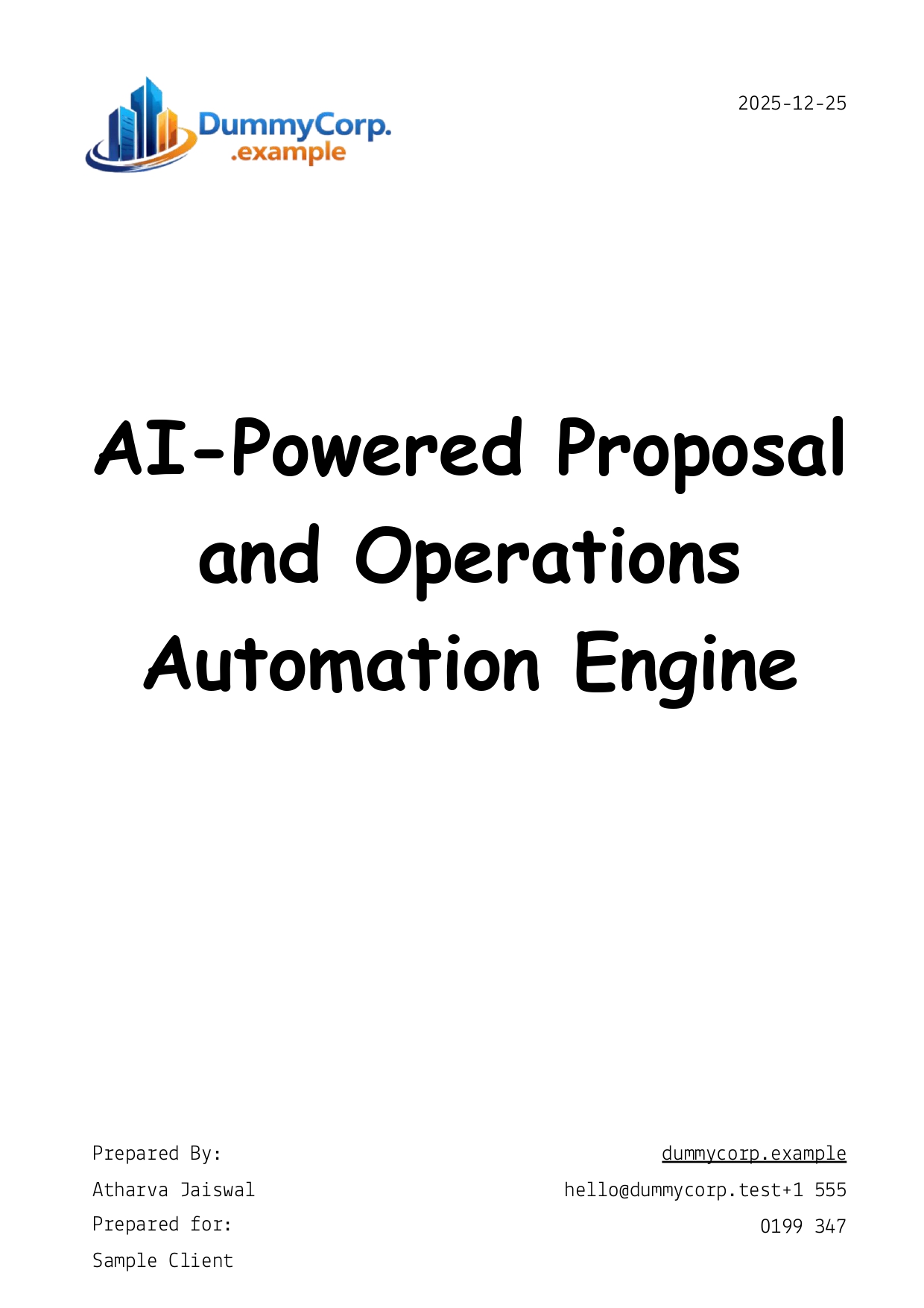 |
| Sticky Note5 | stickyNote | Template link/image | — | — |  |
| Sticky Note6 | stickyNote | Section header note | — | — | # FREE PROPOSAL TEMPLATES |
| Sticky Note7 | stickyNote | Description note | — | — | ## 📄 AI Proposal Generator Engine The AI Proposal Generator Engine is a simple system built to create client proposals very quickly ⚡. After a sales call, once the requirements are clear, you can enter key details like client information, scope, pricing, and even the call transcript so the system understands the full context of the conversation. Using these inputs, the engine automatically creates a fully customized proposal using a predefined template and also prepares a draft email. Everything is saved in a central sheet for review. When the proposal is marked as ready, the system converts it into a PDF and sends it to the client automatically. The main focus of this engine is speed and reducing manual work while keeping proposals accurate and consistent. |
| Sticky Note8 | stickyNote | Setup guide note | — | — | ## ⚙️ Proposal Generator Engine – Setup Guide This guide shows how to set up the workflow so proposals can be created and sent automatically. --- ### 1️⃣ Google Credentials Go to Google Cloud Console and create a Web App (OAuth). Enable these APIs: * Google Sheets * Google Drive * Gmail In n8n, select this Google credential inside: * Google Sheets nodes * Google Drive nodes * Gmail nodes Use the same credential everywhere. --- ### 2️⃣ Google Drive Structure Create this folder setup in Google Drive. You can use the provided templates or your own. <br>Proposal Generator Engine/<br>├── Template 1 (Slides)<br>├── Template 2 (Slides)<br>├── Template 3 (Slides)<br>├── Proposal Generation Tracker (Sheets)<br>└── Generated Proposals/<br>--- ### 3️⃣ Google Sheets Node Open the Proposal Generation Tracker and copy the Sheet ID from the URL. Paste this ID into the Google Sheets node in n8n. This sheet is used to read data and control when a proposal is sent. --- ### 4️⃣ Slides and Drive Nodes Copy the Slides template ID you want to use and paste it into the Copy Template node. Copy the folder ID of Generated Proposals and paste it into the Move File or Move Folder field. --- ### 5️⃣ OpenAI Key Create an OpenAI credential in n8n using your API key. Select it in all GPT nodes and adjust the prompts if needed. |
| Sticky Note9 | stickyNote | Section note | — | — | # SHEETS DATABASE ATTACHED |
| Sticky Note10 | stickyNote | Sheet link/image | — | — | 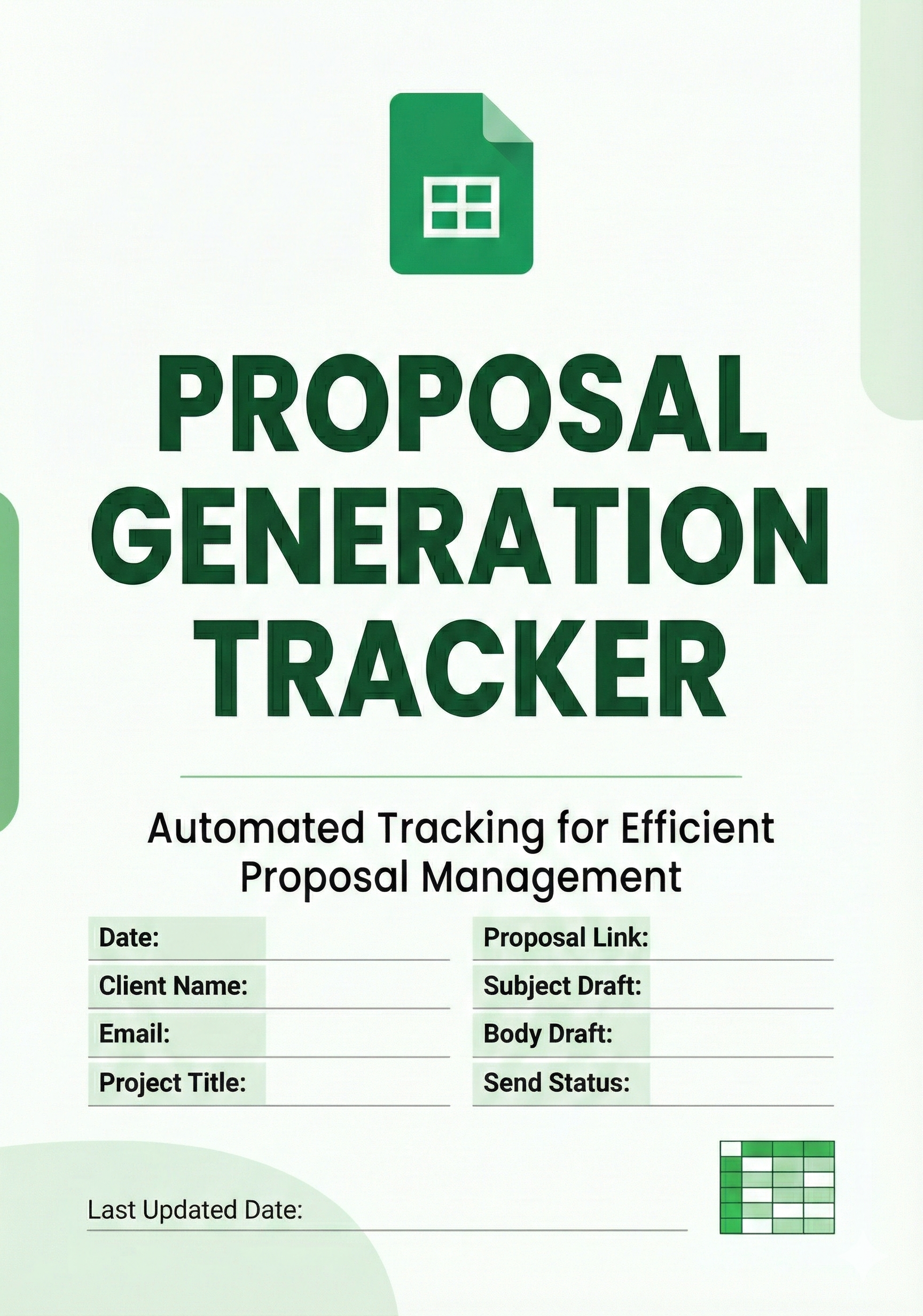 |
4. Reproducing the Workflow from Scratch
-
Create a new workflow in n8n named “Proposal Engine”.
-
Add Form Trigger node
- Node type: Form Trigger
- Title: Client Proposal Builder
- Add fields exactly (labels matter):
- Client Email (required)
- Client Name (required)
- Problem (textarea, required)
- Solution (textarea, required)
- Scope (textarea, optional)
- timeline (required)
- need (textarea, required)
- Price (required)
- payment link (required)
- context if any (textarea, required)
- Disable attribution (optional setting).
-
Add OpenAI (LangChain) node: “Generate Proposal Data”
- Node type:
@n8n/n8n-nodes-langchain.openAi - Credentials: OpenAI API (create in n8n with your API key).
- Model:
gpt-5.1 - Prompt: include:
- System: “You generate clear, structured, and professional client proposals…”
- User: paste form inputs via expressions.
- Strongly require “only valid JSON”.
- Ensure your prompt requests
Titleexplicitly (to match downstream usage), e.g. includeTitlein the required keys list.
- Node type:
-
Add Code node: “Parse Json for Proposal Data”
- Node type: Code
- Use code that reads OpenAI text output and
JSON.parseit (same as in workflow). - Output: single object with keys like
Title,ClientName, etc.
-
Add Google Drive node: “Copy Template”
- Credentials: Google OAuth2 with Drive access.
- Operation: Copy
- Source file: paste your Slides template file ID.
- New name:
={{ $json.Title }}
-
Add Google Drive node: “Move to Folder”
- Operation: Move
- File ID:
={{ $json.id }} - Destination folder ID: create a folder like Generated Proposals and paste its ID.
-
Add Google Slides node: “Inject generated Text”
- Credentials: Google OAuth2 with Slides access.
- Operation: Replace text
- Presentation ID:
={{ $json.id }} - Add replace pairs matching your template placeholders (example):
{{title}}→={{ $('Parse Json for Proposal Data').item.json.Title }}{{client_name}}→...ClientName- etc., including date.
-
Add OpenAI (LangChain) node: “Generate Email Draft”
- Model:
chatgpt-4o-latest - Prompt: instruct to return JSON
{ "subject": "...", "body": "..." } - Input: pass proposal info (either the parsed fields or the raw JSON text). Prefer using parsed fields for stability.
- Model:
-
Add Code node: “Parse Email Data”
- Same parsing approach as proposal parsing; return a single
{subject, body}object.
- Same parsing approach as proposal parsing; return a single
-
Add Google Sheets node: “Append In Database”
- Credentials: Google OAuth2 with Sheets access.
- Operation: Append
- Spreadsheet: create a tracker sheet (e.g., “Proposal Generation Tracker”).
- Sheet tab:
Sheet1 - Columns to create in the sheet (match names exactly if you reuse expressions):
- Date, Client Name, Email, Project Titile, Proposall Link, Subject Draft, Body Draft, Send Status
- Map values:
- Date:
={{ $now }} - Email: from form trigger
- Subject Draft/Body Draft: from parsed email
- Send Status:
WAITING - Proposall Link: build from Slides presentation ID.
- Date:
- Add Google Sheets Trigger
- Poll every minute
- Same spreadsheet + sheet tab as tracker.
- Add Filter node: “Filter Ready Drafts”
- Condition:
Send StatusequalsREADY.
- Add Split In Batches node: “Loop Over Items”
- Default settings are fine (commonly batch size 1).
- Connect Filter → Loop.
- Add Google Drive node: “Download Proposal in PDF”
- Operation: Download
- File ID: use the proposal link column; ideally store a clean URL (without leading
=). - Enable Google file conversion: Slides → PDF
- Set filename:
={{ $json['Project Titile'] }}.pdf
- Add Gmail node: “Send Email”
- Credentials: Gmail OAuth2 in n8n.
- To:
={{ $json.Email }}(recommend using the current loop item, not the trigger node reference) - Subject: preferably
={{ $json['Subject Draft'] }}(or your desired field) - Message:
={{ $json['Body Draft'] }} - Attachments: set the attachment binary property name to the one produced by the Download node (commonly
data).
- Add Google Sheets node: “Update Status”
- Operation: Update
- Use a reliable match key:
- Best:
row_numberif your trigger provides it. - Otherwise: a unique ID column you add.
- Best:
- Set
Send StatustoSENT.
- Wire connections in this order
- Form Trigger → Generate Proposal Data → Parse Proposal → Copy Template → Move to Folder → Inject Text → Generate Email Draft → Parse Email → Append In Database
- Sheets Trigger → Filter Ready → Loop Over Items → Download PDF → Send Email → Update Status → back to Loop Over Items (to continue)
5. General Notes & Resources
| Note Content | Context or Link |
|---|---|
| # AI Proposal Engine — Automatically creates a personalized client proposal from form inputs using Google Slides. | Canvas note (main description) |
| Free proposal templates (3 Slides links with preview images) | Template gallery section: 1) https://docs.google.com/presentation/d/1oVW38XP0OyUhFMpij5cmKrljQvLv6NnSnGRgZ4pkW3M/edit?usp=sharing 2) https://docs.google.com/presentation/d/1EQBTWCpeFk-mt0ZDyhb5-__58jZf69SxbTS715b4Nc4/edit?usp=sharing 3) https://docs.google.com/presentation/d/1WEAGDn2VrZCkkIdJVSlLFcXM1yhUaYhFjYaIYmL5zzo/edit?usp=sharing |
| Setup guide: Google OAuth app, enable Sheets/Drive/Gmail APIs, reuse same credential in all nodes, recommended Drive folder structure, where to paste IDs, and OpenAI credential setup | Canvas note “Proposal Generator Engine – Setup Guide” |
| Sheets database attached (tracker preview + link) | https://docs.google.com/spreadsheets/d/1Ix9zw7bCDPZzv5XSI5M0yE1HOwK1RteODRJrc5899YM/edit?usp=sharing |
Disclaimer (provided): Le texte fourni provient exclusivement d’un workflow automatisé réalisé avec n8n, un outil d’intégration et d’automatisation. Ce traitement respecte strictement les politiques de contenu en vigueur et ne contient aucun élément illégal, offensant ou protégé. Toutes les données manipulées sont légales et publiques.